Posts

TM Streamyx RM88 4Mbps Package with Free Tablet

Image
The Streamyx RM88 package actually a promo package which comes with 3 different packages to choose from. The monthly commitment is cheaper compare to the original packages pricing. In addition people who subscribe to this promo package will get a free Tablet. The original and normal pricing for TM Streamyx Packages are: However this promo package only provided by certain TM agent, which means you cannot directly apply with TM. The agent also provided with subscription Quota which means it is a limited offer and form what I heard it is limited to 100 subscription per agent. Where can I locate the Agent? It is hard to tell, however I found few agents promote this package on their blog and FB pages. The newest was posted on June 2015. So here what you need to know about this promo package: No Installation Fee (Normally RM50) No Activation Fee (Save RM75) No Quota (Unlimited , I'm not sure if this packages do have FUP, Fair Usage Policy which means the ISP have the...
How to convert and play ts video File

Image
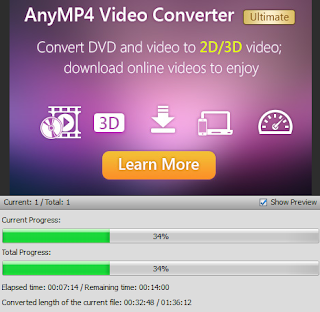
You can directly play the video with TS file extension or file format using video player such as VLC , KMP or default Windows Media Player. However if you connect your computer to PC via HDMI you will notice you will get no audio output. Further more your iphone, android devices or tablet maybe would not read the and play the file. So first we need to convert it to MP4 because this file format widely supported for most current device. It is actually simple: 1. Download free ts video converter form here: http://download.cnet.com/Free-TS-Converter/3055-2194_4-75738853.html   or you may google for other type of free ts converter software. 2. Convert the file and wait until finish.The conversion time depend on the file size and length. Now you will have another instance of the file with mp4 file format.

How to reconnect your ASTRO

Image
You can reconnect your ASTRO service by using one of the following method: 1. SMS Type ASTRO RCO AC <acount number> and send to 33310. example : ASTRO RCO AC 898976890 You will get a message and your service normally will be restored within 3 HOURS. Normally it would take about 20 - 40 minutes. However sometimes you will receive this message : RM0.00 Reconnection  request is unsuccessful due to technical error. Please try again Later. We apologise for the inconvenience caused . / Astro If you receive this SMS, use the MMS method. 2. MMS  If you make payment using bank other than Maybank and Public Bank, it will take 1 -2 days before ASTRO receive your payment. However that's long time to wait so what you need to do is to send an MMS. Snap the picture of your payment slip, type ASTROMMS AC <Account Number> and send it to 32777. * Remove the first and last digits of your account number. If your account number is: 0999888220 just type 99988822 ...

How to Convert Dynamic Disk to Basic Disk

Image
This method will convert your invalid dynamic disk into basic disk without losing any data and recover all files on your hard disk. 1. Download TestDisk ,  install and run the program. 2. Select Create (Use your keyboard arrow key to select) 3. Select the hard drive you want to change to basic disk and select proceed and press enter. 4. Then select the OS/System menu base on your system. (example Intel/PC) 5. Select Analyse 6. Select backup, then select proceed. 7. Now you will see your partition listed. Select the partition and press C to copy. You can copy and backup the files into any storage on your computer such as external Hard Disk or Thumb Drive. 8. Now select Write the press Y on your keyboard to confirm. 9. Reboot and now you will be able to use your disk again.

How to Fix Hard Disk Not Showing in Disk Management

Disk Management is a default Utilities to check your computer internal and external storage. You can also use it to format, create, delete partition and resize your partition. If your computer does not recognize a new hard disk - external or internal hard disk, you just need to open disk management and assign the volume letter for it. However if your hard disk not showing up in disk management you need to re-format the Hard Disk. The problem is how to format it if it does not shows up in disk management? 1. Before we start make sure your Hard Disk cable (Sata/IDE) it is tight and connected properly. 2. Make sure the Hard Disk detected in BIOS. 3. There are 2 ways to format it, first by installing Ubuntu (or other linux distribution). -Boot to linux/ubuntu and reformat your HDD or 4. Get an External Hard Disk Casing (It is cheap, around USD10). 5. Make your Hard Disk as external and reformat it. There are another way to fix this however it is depend on your situation. If y...

How to Check Your Maxis Bill Fast and Easy

Image
You don't have to have a launchpad or register with maxis to view your current bill. Actually you just need to go to maxis mobile site and view your current bill. The website will detect your account base on your sim card you are using to connect to the internet. So what you need to do is plug in your  maxis broadband or turn on data on your mobile phone. Then go to this site (if using phone does not work, open the link using your laptop). http://m.maxis.com.my/?nodeid=133903802615682239&nt=true You can simply click on the link above to view your current outstanding balance. It will list the following information. Total payable : (What you need to pay) Current bill : Balance f/d (overdue) : Unbilled amount : However it will not show your account number or when you need to pay the bill.  This website is easier to use with simple interface. This is a good way to track your current bill so that if you see suspicious amount on your bill you can contact maxis right a...

How to Fix Windows AERO stopped Working

Image
AERO gives your desktop a transparency or glass look which something everyone want to have on their windows Vista or Windows 7. If you AERO stopped working it is due to several reasons and each of them requires different method to fix. here I will list out what you can do to fix it. 1. Restart the Theme and AERO services. Click start and type SERVICES.MSC on the search box, and then press enter. Look for Desktop Windows Session Manager - Right click and select properties Click stop and then click start, on startup type select automatic. Now look again for THEME and do the same thing - stop, start and set to automatic. Make sure to click apply to make the changes. 2. Uninstall recently installed updates Windows updates is one of the culprit, if your Aero stopped working after Windows automatic updates installation, uninstall the updates. For example one of the updates that cause this is KB2670838 ( Platform Update for Windows 7 and Windows Server 2008 R2) To do this go t...
